BACK TO BLOGDecember 30, 20240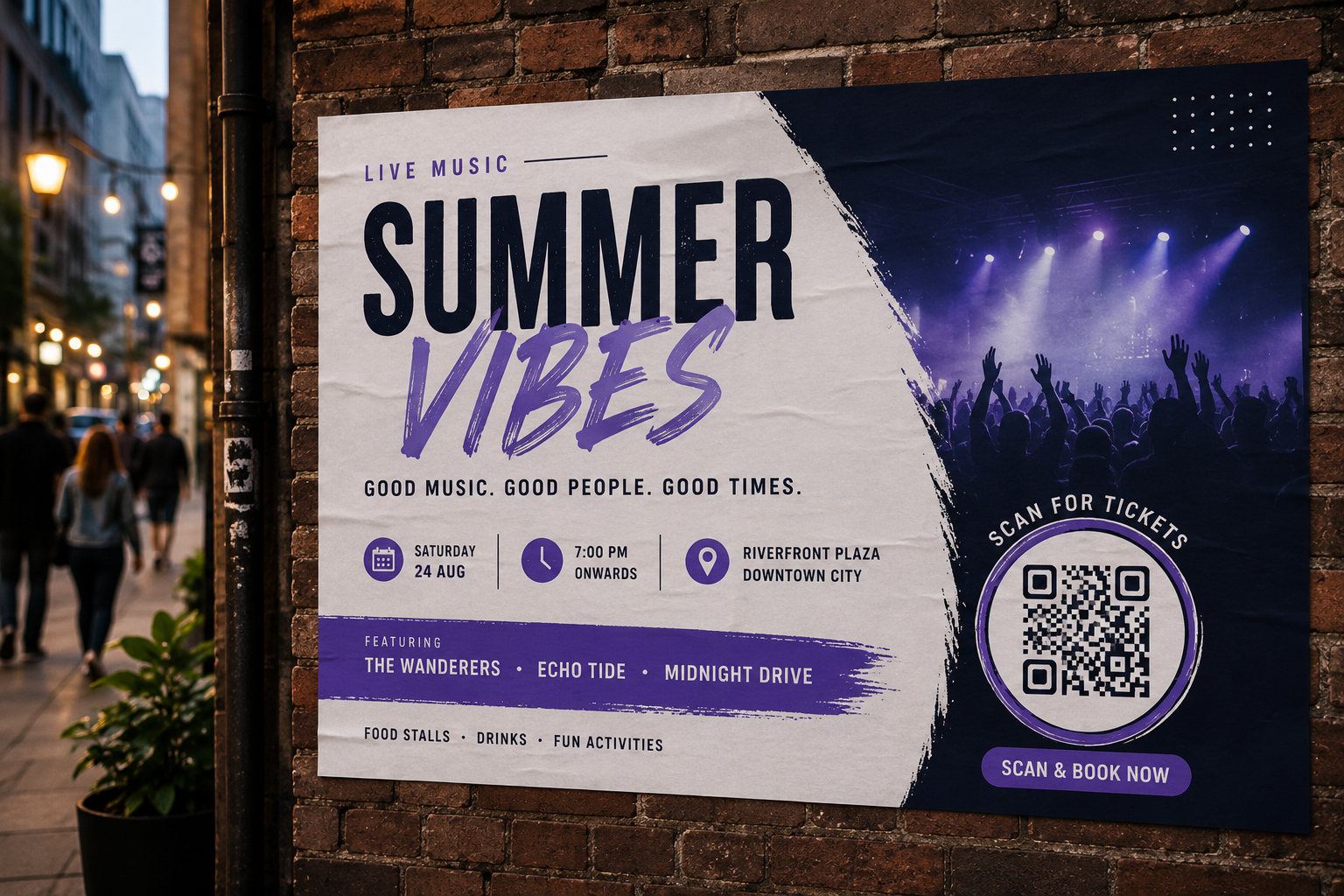
DESIGN·6 MIN READ
QR Code Poster Maker: Design Stunning Marketing Posters with QR Codes
MC
Mike ChenQR PosterDesignMarketing
Why Most QR Codes on Posters Look Bad
The default approach — slap a plain black-and-white square in the corner — works, but it looks like an afterthought. A well-designed poster treats the QR code as part of the layout: color-matched, positioned deliberately, with padding, rounded corners, or a subtle border that ties it to the rest of the design.
What a QR Poster Maker Actually Does
A poster QR maker lets you upload your poster, flyer, or photo as a background and place a QR code directly on top of it — resizing, rotating, and repositioning it until it fits the composition. Some tools also let you blend the QR code's opacity into the image itself for a more integrated look, as long as contrast is preserved enough to stay scannable.
Design Rules That Keep It Scannable
- Maintain contrast — the QR code needs clear separation from its background, even when blended
- Don't drop below 2cm — undersized codes on large posters won't scan from a normal viewing distance
- Leave a quiet zone — a small margin of empty space around the code prevents scan errors
- Avoid busy shapes near the code — heart, star, or dot module shapes can reduce scan reliability; stick to square, rounded, or circle for anything that needs to work every time
- Test after export — always scan the final downloaded poster, not just the on-screen preview
Ideas for Poster QR Placement
- Event posters — link straight to registration or ticketing
- Restaurant posters — link to the digital menu
- Product packaging — link to a how-to video
- Real estate signage — link to the full listing with photos
SHARE